Run your entire business on one system
Zayeen is a cloud ERP that ties inventory, sales, POS, finance and payroll into one source of truth — live on any device, from day one.
- No credit card
- Cancel anytime
- Demo login admin / admin

- 20+licensed modules
- 13app languages
- Nightlybackups, 14-day history
- Any devicedesktop, tablet, phone
One system instead of five disconnected tools
Most growing businesses run sales in one app, stock in a spreadsheet and accounting somewhere else — then spend the month reconciling them. Zayeen puts the whole operation on one database, so every sale, purchase and payment lands in the books the moment it happens.
- No double entry between sales, stock and accounting
- Numbers your team can trust at any hour of the month
- Turn modules on as you grow — nothing to migrate later
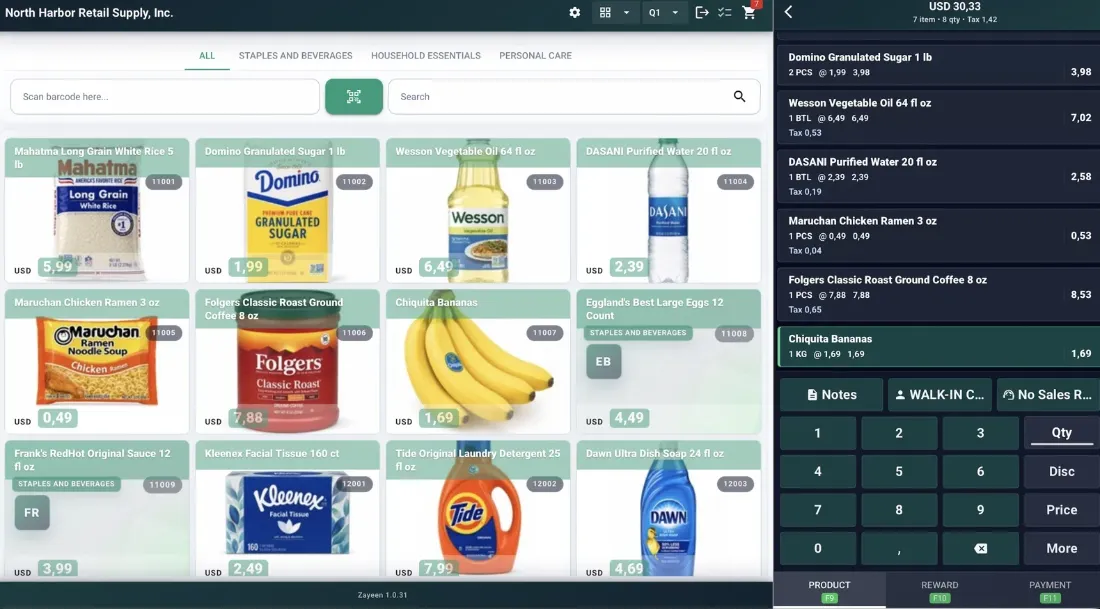
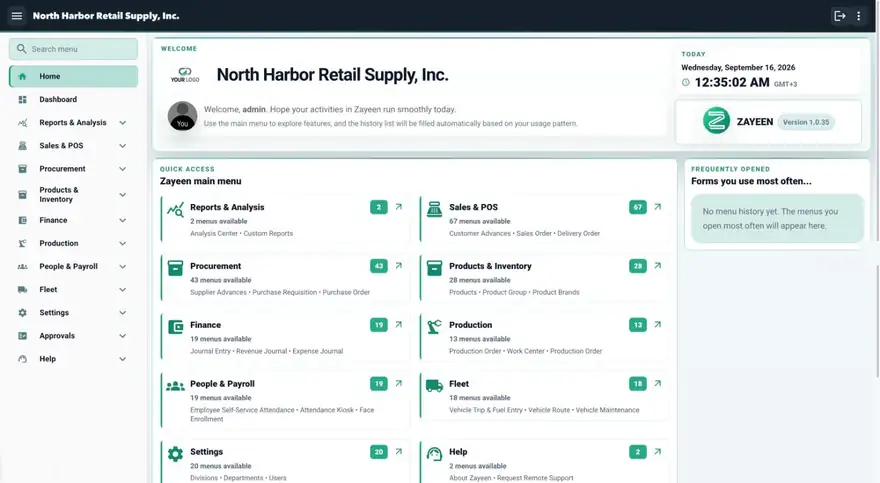
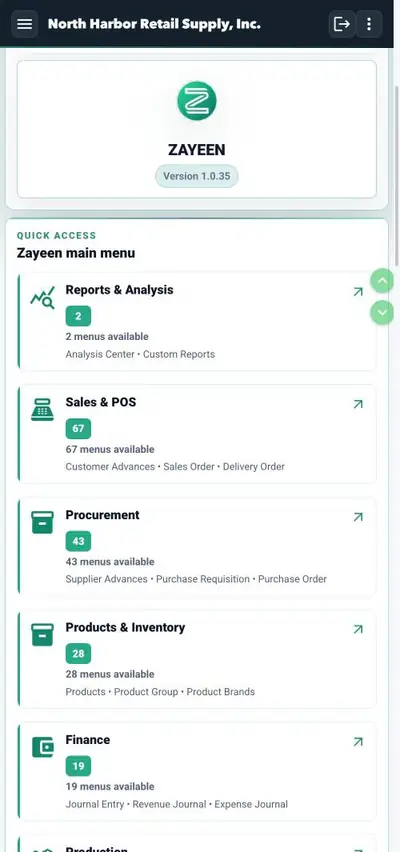
One login, one set of numbers — at the desk, on the counter, in your pocket.
All-in-one platform
Accounting, sales, HR, inventory, POS and production share one database — no connectors, no sync jobs.
Pay for what you use
Start on the plan that fits today and switch on bigger modules only when the business is ready for them.
Learned in hours
A clean, familiar interface your cashier and your accountant can both pick up without a consultant.
Your data stays yours
Everything runs in the cloud over HTTPS, with database access limited to our operations team and backups running every night. You can download a full backup of your own database at any time — including the day you decide to leave.
Everything you need to run the whole operation
From the cashier drawer to the balance sheet — every module writes to the same ledger, so the numbers are always in step.
Accounting & finance
Journals, ledger and statements post themselves from daily transactions. Balance sheet and P&L are ready whenever you are.
Inventory & purchasing
Stock across warehouses and branches, purchase orders, goods receipts and supplier bills in one flow.
Sales & orders
Quotes, sales orders, deliveries and invoices with customer credit and due dates under control.
Point of sale
Barcode-driven POS with cashier sessions, split cash/bank payments and QR ordering for restaurants.
People & payroll
Employee records, attendance, overtime and salary runs connected straight to your books.
Manufacturing
Bills of material, production and work orders, with real cost landing on every finished unit.
Multi-branch & department
Several locations on one database, separated where it matters and consolidated where it counts.
School management
Classes, grades and report cards next to fees, arrears and receivables for schools and madrasahs.
Works anywhere
Desktop, tablet and phone apps plus the browser — the same data, wherever your team is standing.
Not a mockup — this is the app
Four screens from the live demo database. Open it yourself with admin / admin and click through the same menus.

A cashier screen your staff learns in minutes
Scan, search or tap. Quantities, discounts and taxes are keyed on the spot, and every receipt posts to inventory and accounting before the customer reaches the door.
- Cashier sessions with opening and closing balances
- Split cash and bank payments with change helpers
- QR-based table ordering for restaurants

From purchase order to posted bill
Fill a purchase straight from its order, line by line. Stock levels, supplier balances and the ledger all move together — no second data entry anywhere.
- Purchase orders, goods receipts and supplier bills
- Multi-warehouse and multi-branch stock
- Serial and lot tracing for warranty or recall

Accounting that writes itself
Balance sheet, income statement, cash flow and equity come straight out of the day’s transactions. Print them, or export to PDF, Excel or CSV for whoever is asking.
- Chart of accounts, journals and full audit trail
- Multi-currency transactions and extra taxes
- Reports ready at any point in the month

Receipts and reports in your own layout
The built-in Print Designer shapes receipts and documents with web technology, while the Report Designer builds filterable, SQL-driven reports with live preview.
- Design invoices, receipts and delivery notes
- Filterable reports with export and live preview
- RAW thermal printing support
Shaped around how your industry works
Same platform, different starting point. Pick the setup that matches your operation and switch the rest on later.
What it looks like in a real business
One system, one counter, one month-end. Here is what changed.
Orders used to go on paper and we counted the snack stock by hand at closing. Now the table order goes straight into the POS and stock moves with it — closing up is quick because the numbers are already done.
Try it on your own numbers
Open the demo with admin / admin, or start a free month on your own database and see how your month-end looks.
Start 1 month freeLive in a week, not a quarter
ERP projects have a reputation for dragging. Zayeen is built so a small team can be running real transactions before the free month is over.
Start step onePrefer to look first? The demo at admin / admin is already loaded with a sample company.
- 01
Create your database
Click once, pick your company name and currency. Your own database is ready in a few minutes and the login lands in your inbox.
- 02
Bring in your data
Import your product list, customers and suppliers, then set the opening stock and balances. Our team does this with you on a call if you want.
- 03
Put the cashier on it
Train the counter first — it is the screen your team touches most. Most cashiers are comfortable inside an afternoon.
- 04
Run a real month
Sell, purchase and pay as usual. At month end the balance sheet and P&L are already there — no closing marathon.
Start small, grow without switching systems
Pick the plan that fits today. Bigger operational modules stay optional until your business actually needs them.
Starter
For a single store or a small team getting off spreadsheets.
2 users included
- Inventory & standard transactions
- Purchasing and sales
- Advanced point of sale
- Products, customers, suppliers
Growth
When credit, discounts and real accounting start to matter.
5 users included
- Everything in Starter
- Accounting & financial reports
- Credit sales, payables & receivables
- Discount control and multi-currency
Business
For multi-team operations that need structure and control.
10 users included
- Everything in Growth
- Multi-department & multi-division
- Approval-ready workflows
- Consolidated reporting per branch
Add a bigger module only when you need it
Industry modules sit on top of any plan — switch them on the month you are ready, from $9.
Prices shown for the United States. The pricing page adjusts to your country, and longer terms carry an annual discount.
The questions buyers actually ask
Still unsure about something? A real person answers — usually within one business day.
Ask us directlyDo I have to buy every module up front?
No. Your plan already covers the daily essentials — sales, stock, purchasing and POS. Bigger operational modules such as Manufacturing, Payroll, Fleet or School are add-ons you switch on the month you actually need them.
What happens when my team grows past the included users?
Each plan comes with its own user quota — 2, 5 or 10. You only pay for extra seats once you pass that limit, and you can move up a plan at any time without migrating anything.
Is my data really mine?
Yes. You can download a full backup of your own database at any time from the Maintenance menu — including on the day you decide to leave. Nothing is held hostage.
How is my data protected?
Zayeen is served over HTTPS end to end, database access is limited to our operations team, and backups run every night — so a bad day on one machine never turns into a bad week for your books.
Can my team work in their own language and currency?
The app ships in 13 languages — English, Arabic, Indonesian, Chinese, Spanish, French, Japanese, Korean, Thai, Vietnamese, Malay, Filipino and Tetum — with multi-currency transactions built in.
Do I need to install anything?
Not necessarily. Zayeen works fully in a browser, and there are native apps for iOS, Android, Windows, macOS and Linux if you want them. The desktop app is only required for RAW thermal receipt printing.
What does the free month actually include?
Everything. Every module is unlocked for one month, no credit card, cancel any time. Our team helps you set up in the first week so the month goes to running the business, not migrating data.
Give your business one system before the next month closes
Create your database in a few minutes and run a real month on Zayeen. Our team helps you set it up in the first week, so the free month goes to running the business — not migrating data.
- No credit card required
- Cancel any time, export your data
- Setup help in your first week
- Try the demo first — admin / admin